 AI Voice · RVC
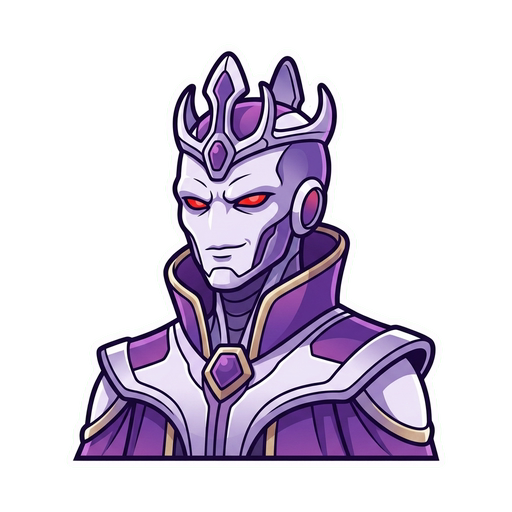
Frieza Voice Changer
Sound like Frieza in real time for Dragon Ball games, Discord, cosplay, streams, and villain content.
Who is Frieza?
Frieza is one of Dragon Ball’s defining villains, known for elegance, cruelty, and controlled menace that can snap into fury. Echo is independent and is not affiliated with the franchise or its performers.
What does Frieza sound like?
A strong Frieza performance is precise, theatrical, and quietly contemptuous. Slow, deliberate phrasing makes the sudden bursts of anger land even harder.
Rule the Lobby Without Raising Your Voice
Frieza is funniest—and most threatening—when the voice stays precise, polite, and completely certain it has already won. Use it for Dragon Ball game nights, Discord roleplay, VRChat, cosplay, fan dubs, reaction streams, and villain scenes that need more style than a generic growl.
Echo converts your microphone live, so you can trade insults with Goku, challenge Vegeta, or react to the match in character instead of stitching together prerecorded dialogue.
Cold, Theatrical, and Quietly Furious
Keep the delivery clean and deliberate during ordinary lines, then let the intensity rise when the character loses patience. That contrast gives Frieza a more recognizable identity than simply making the voice high or villainous.
Browse a compatible model through AIVoices.gg, import it into Echo, and test normal conversation as well as dramatic lines before using it live.
How to get the Frieza voice in Echo
With RVC (AI model)
- 01 Source a compatible .pth model you have permission to use
- 02 Convert to .onnx at voicechanger.live/tools/model-converter
- 03 Import the .onnx file into Echo
- 04 Adjust pitch offset if needed
- 05 Start talking — real-time AI conversion
With Echo’s included effects
No model yet? Start with a slightly brighter included voice and slow, deliberate villain delivery while you explore compatible community models.
Community model directories
Start with AIVoices.gg to find downloadable RVC models, then follow its listing to the original source. Echo and AIVoices.gg do not host, license, or endorse the third-party files linked by these directories. Check provenance, licence terms, platform rules, and permission for your intended use before downloading or importing anything.
Best for
Frequently asked questions
How do I sound like Frieza in real time?
Import a compatible Frieza RVC model into Echo, select it, and use the Echo virtual microphone in your target app. Your live performance controls the timing and emotion.
Does the Frieza voice changer work on Discord?
Yes. Select the Echo virtual microphone in Discord to use the converted Frieza-style voice live in calls and roleplay.
Can I use Frieza’s voice in games and streams?
Where can I find a Frieza RVC model?
Is the Frieza voice changer free?
Does Echo include an official Frieza voice?
Other voices you might like

Goku
Sound like Goku in real time for Discord, games, streams, cosplay, and Dragon Ball fan content.

Vegeta
Sound like Vegeta in real time for Dragon Ball games, Discord, cosplay, streams, and anime roleplay.

Sukuna
Sound like Sukuna in real time for Discord, games, cosplay, streams, and Jujutsu Kaisen fan content.
Ready to try Frieza?
Download Echo, import a Frieza RVC model, and start talking. Completely free.
Download Echo