Echo Live for Windows & Mac
Free AI Voice Changer
Sound like anyone in Discord, games and streams. Start with free AI voices, then explore the open world of community voices. Your voice changes live as you speak.
- Free voices included
- Windows & Apple Silicon Mac
- Local AI processing
Start free. Custom RVC imports and the full UltraFast library come with Pro.
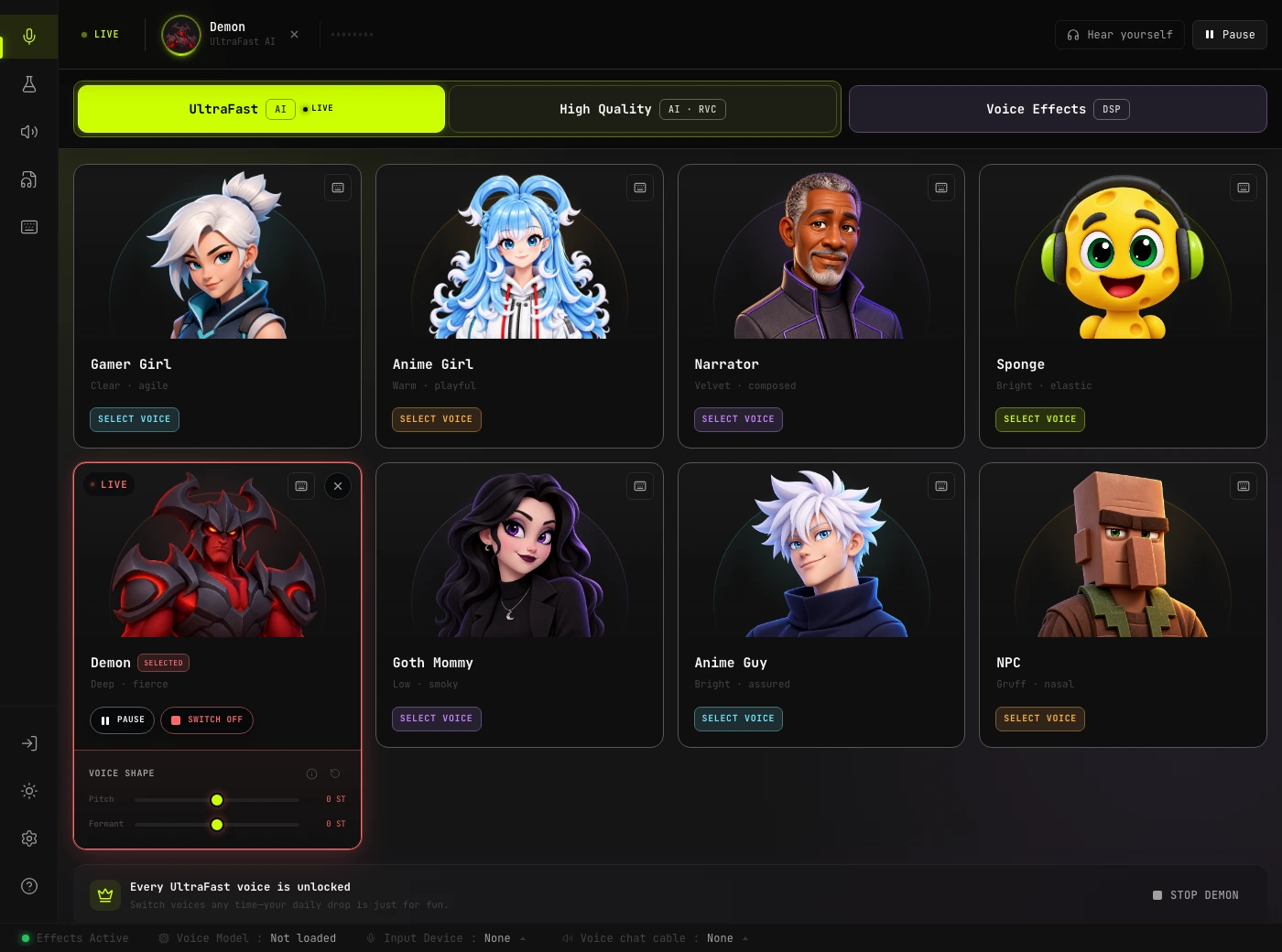
Your new voice, in the next conversation
Echo Live is an AI voice changer app for your microphone. You speak; your friends hear the changed voice. No recording to upload first.
- 1
Set up your microphone
Download Echo Live for Windows or Mac. Follow audio setup to choose your microphone, headphones and voice-chat output.
- 2
Pick a voice and listen
Start with a free included AI voice. Turn on Hear Yourself with headphones to try it before joining a call.
- 3
Take it into the call
In Discord or your game, choose the input device shown by Echo's audio setup. Speak normally and your changed voice goes live.
Real-time AI voices, your way
Start with UltraFast for live conversations, or explore High Quality RVC for community character voices. Both process your voice on your computer.
UltraFast AI
Made for live back-and-forth. Try the daily free voice; Echo Pro unlocks the full UltraFast selection.
High Quality RVC
Explore distinctive community voices with CPU or GPU processing. A compatible GPU helps with more demanding models.
Windows & Apple Silicon Mac
Use the desktop app for native games, Discord and streaming software. Performance depends on your device, voice and settings.
An RVC voice changer with room to explore
RVC changes the character of your voice, beyond simply making it higher or lower. Echo Live connects you to the open RVC community, so you can find a voice that fits your character instead of settling for a fixed catalogue.
Find your next character
Explore community RVC voices for roleplay, gaming and original characters. Start with the included library, then bring compatible models of your own into Echo Live with Pro.
The voice model guide explains where to find models and how to choose one.
Find and choose RVC voicesBring your own RVC models
Found a voice you love, or trained one yourself? Echo Pro lets you import compatible RVC models. The free model converter helps prepare models in the right format.
Use models and recordings you have permission to use.
Open the free model converterMake the voice your own
Add a radio effect to your character voice or give your narrator an echo. Layer AI voices with effects, build your own combinations in the Audio Lab, and keep your favourite sounds close by.
The built-in soundboard handles the perfectly timed reaction.
Explore the soundboardStart free. Find your voice.
Use included AI voices, real-time effects and the soundboard for free. Try them in your own calls and games before deciding whether you want more.
Echo Live Free
- Included AI voice library
- Daily free UltraFast voice
- Real-time voice effects
- Built-in soundboard
Echo Pro
- Everything in the free app
- Custom RVC model imports
- Full UltraFast voice selection
- More room for your voice collection
Echo Pro adds custom RVC model imports and the full UltraFast voice selection. The free app is yours to keep using.
A quick try in Chrome
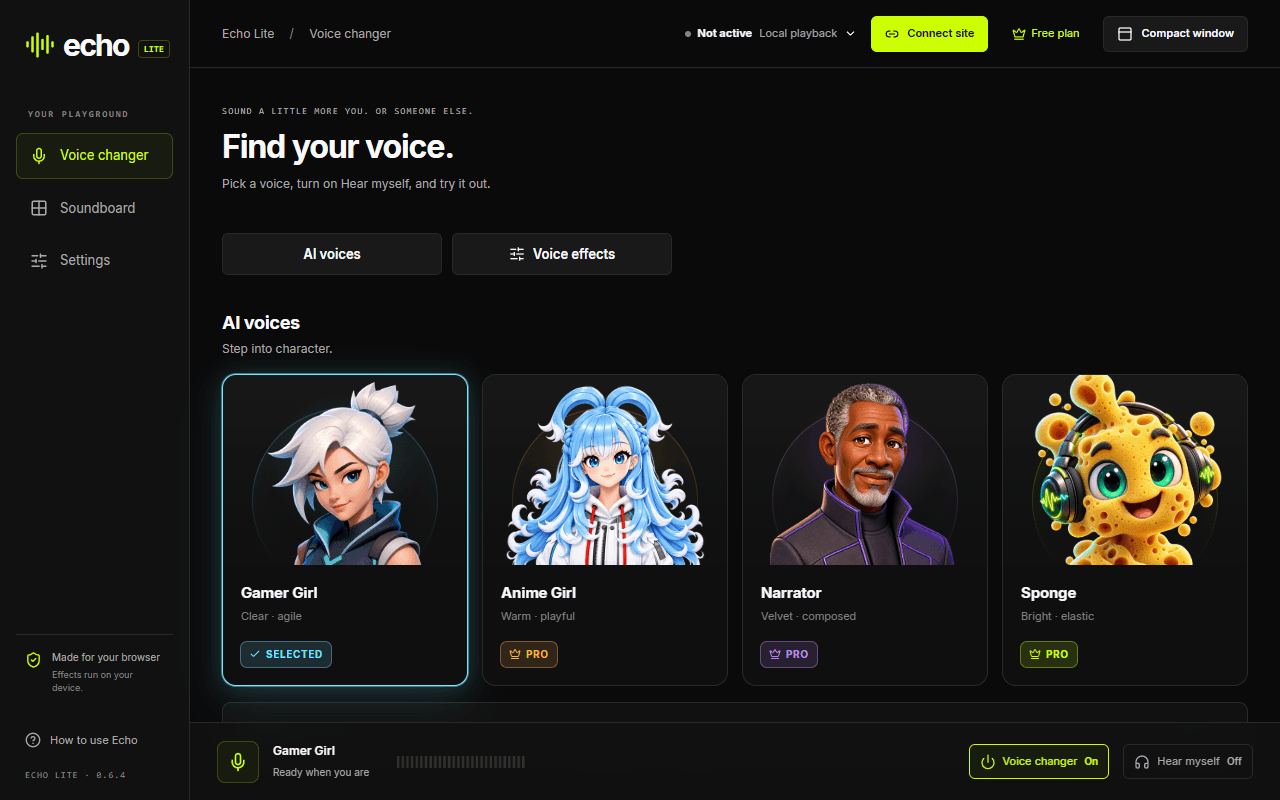
Meet Echo Lite
Want to try a voice before installing the desktop app? Add Echo Lite to Chrome, choose the free Gamer Girl AI voice and turn on Hear myself. Connect Discord web or Google Meet when you are ready to use it in a call.
For Chrome on desktop and Chromebook. An extension install and voice downloads are required, but no desktop installer or virtual audio cable. For native games and desktop apps, download Echo Live.
Take your AI voice into Discord and games
Choose Echo's routed microphone in your calling app, game or streaming software. Find setup instructions for the places you already hang out.
Your voice stays on your device
AI voice processing runs locally on your computer. Your microphone audio is not sent to a cloud voice-conversion service.
Echo sends the changed audio to the call or streaming app you choose, just like a microphone.
AI Voice Changer FAQ
Is Echo a free AI voice changer?
Yes. Echo Live includes free AI voices, real-time voice effects and a soundboard. There is also a daily free UltraFast voice. Echo Pro unlocks custom RVC model imports and the full UltraFast selection; you do not need Pro to start changing your voice.
How do I use the AI voice changer in Discord?
Run audio setup in Echo Live, pick a voice, then open Discord's Voice & Video settings. Choose the input device shown by Echo's setup. Use headphones to check your voice before joining a call. The same routing approach works in games and apps that let you select a microphone.
What is an RVC voice changer?
RVC uses an AI voice model to change the character of your speech while you talk. Echo Live supports the open RVC ecosystem: you can use included voices or import compatible community and self-trained models with Pro. Basic pitch effects change how high or low you sound; RVC changes more of the voice itself.
Do I need a powerful GPU?
Not necessarily. Echo supports CPU and GPU processing for RVC, and UltraFast is designed for live conversations. A compatible GPU helps with demanding RVC models. Try an included voice on your own hardware; the best settings depend on your computer and the voice you choose.
Can I try AI voice changing in Chrome?
Yes. Add the Echo Lite extension to Chrome and try its free Gamer Girl AI voice. You can listen to yourself and connect supported calling sites such as Discord web and Google Meet. It needs an extension install and voice downloads, but no desktop app or virtual audio cable. Use Echo Live for native desktop games and apps.
Does my audio stay on my device?
Yes. Echo processes your microphone audio locally instead of sending it to a cloud voice-conversion service. When you join a call or stream, the changed audio goes to the app you selected as your output.
Is this an AI voice changer app for phones too?
This page covers Echo Live for Windows and Apple Silicon Mac. Echo also has separate iPhone and Android apps for mobile voice creation. They are different products, not a replacement for desktop microphone routing in games.
Who will you sound like tonight?
Download Echo Live, pick a free AI voice and take it into your next call.
Download Echo