Instant voice effects
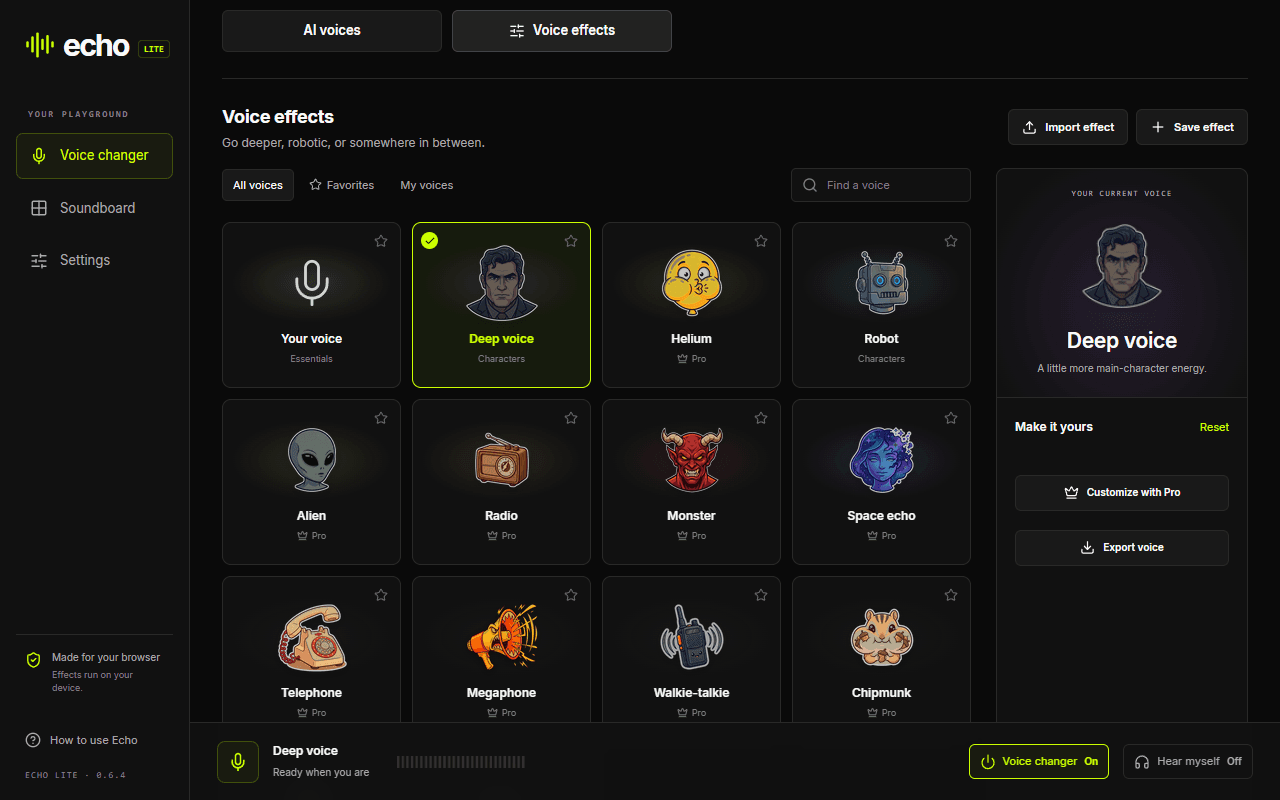
Try Deep voice and Robot for free. Jump between AI voices and effects from the same screen. Echo Pro unlocks the rest of the effects and lets you create your own.
Sound like anyone in Discord web, Google Meet, and other browser calls. Add one Chrome extension for live AI voices, instant effects, and a soundboard—no desktop app, driver, or virtual audio cable.
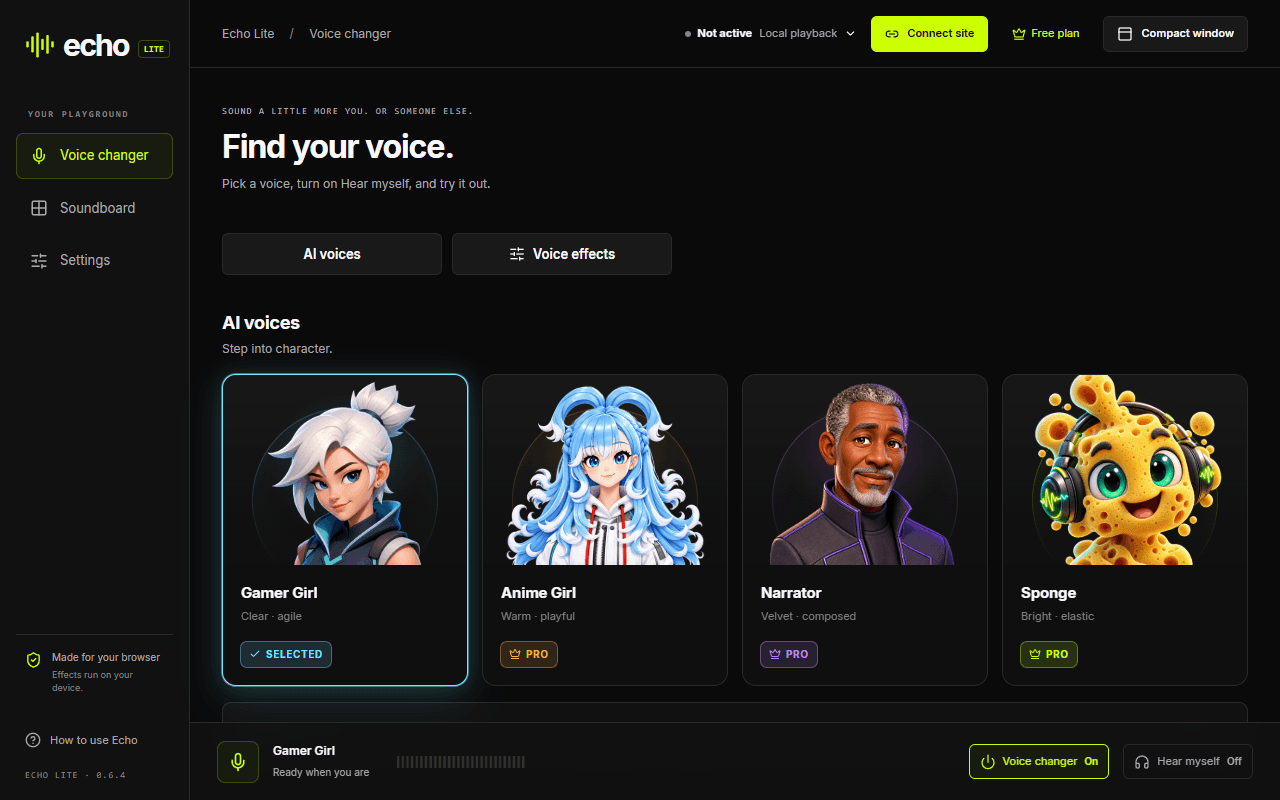
Pick a voice effect or live AI voice, connect the calling site, and start talking. Echo Lite changes what people hear while you keep your usual microphone selected. Open the soundboard when the moment needs a perfectly timed clip.
Go from instant effects to character voices, then bring in the soundboard without leaving Chrome.
Try Deep voice and Robot for free. Jump between AI voices and effects from the same screen. Echo Pro unlocks the rest of the effects and lets you create your own.
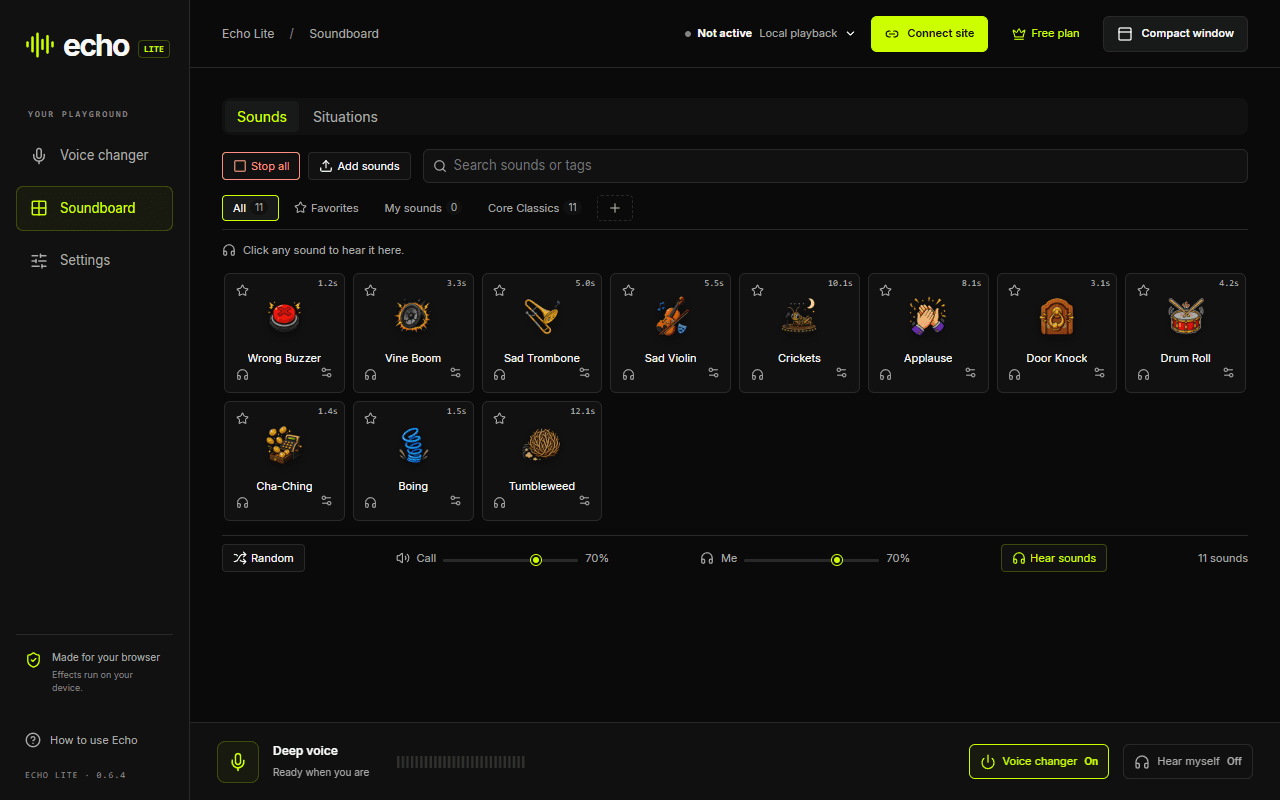
Play classic reactions or add your own clips. Click a sound to hear it locally; in a connected call, it plays for your friends too. Adjust your listening volume and call volume separately.
Try Gamer Girl for free, or choose Anime Girl, Narrator, and Sponge with Echo Pro. Turn on Hear myself to listen as you speak. AI voices run on your device.
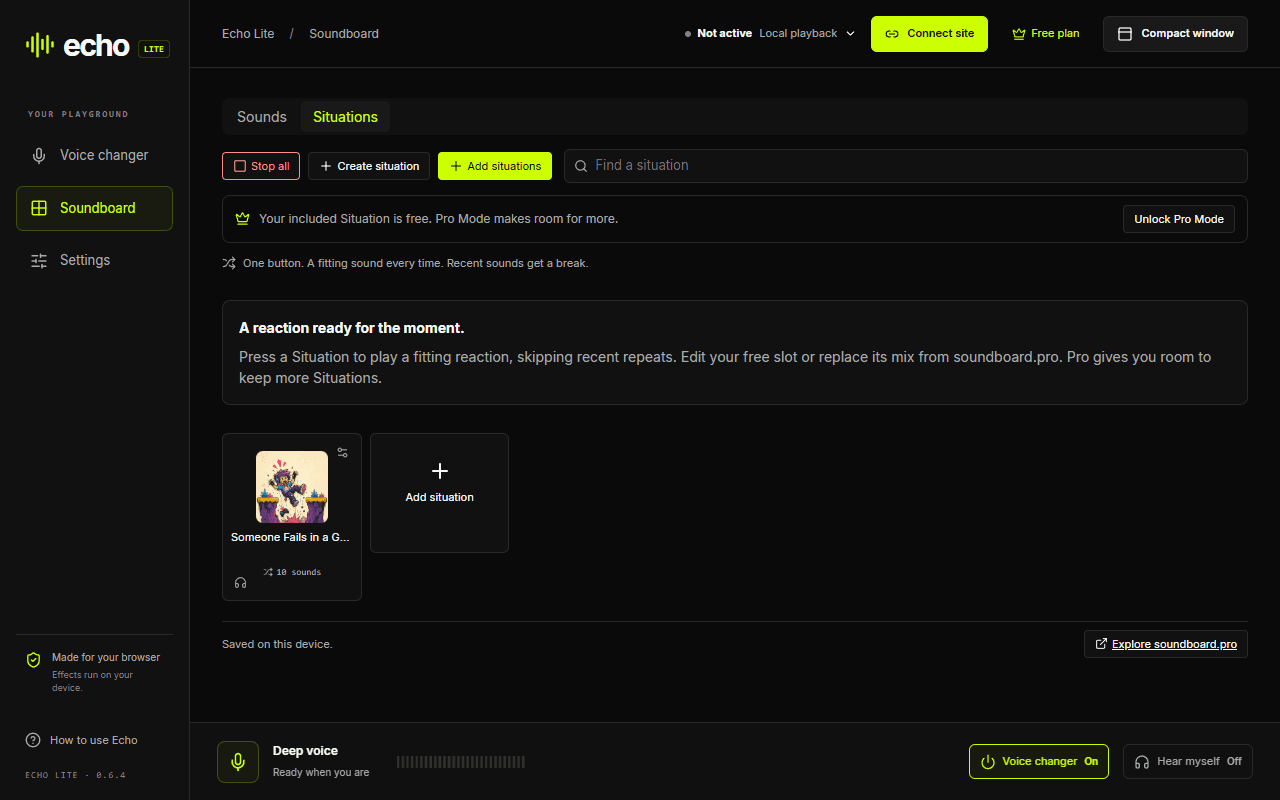
A Situation keeps a mix of sounds behind one button, skipping recent repeats. Edit your included slot or replace its mix from soundboard.pro. Echo Pro gives you room to keep more Situations.
Try Echo Lite without creating an account. Sign in when you want to use your Echo Pro plan.
No account needed to use the included voices and sounds.
Already have Echo Pro? Sign in with the same Echo account.
Explore Echo ProOpen the web version of your calling app in Chrome, connect that site in Echo Lite, and keep your usual microphone selected. Start with the free effects and test with a friend before your first call.
Open Discord in Chrome, connect discord.com in Echo Lite, then refresh Discord if it was already open. Join a voice channel with your usual microphone selected and choose an AI voice or instant effect in Echo.
See the Discord voice changer guideConnect meet.google.com before joining your meeting. If Meet was already open, refresh the tab and rejoin. Keep your normal microphone selected, then choose your voice in Echo Lite.
See the Google Meet voice changer guideConnect Discord web, open Echo Lite’s soundboard, and click a reaction while you are in the call. Your friends hear the soundboard audio alongside your changed voice.
Set up Echo Lite for DiscordFor another web-based voice app, open the call in Chrome and connect its site from Echo Lite. Refresh and rejoin before testing. Support depends on how that website captures and processes microphone audio.
Follow the browser-call setupEcho Lite works inside supported Chrome calls, so there is no desktop app, audio driver, virtual cable, or new system microphone to configure. Add the extension and keep using your regular mic.
Why Echo Lite works on ChromebookUse an up-to-date Chrome browser (version 120 or newer). Free voices and sounds work without an Echo account. Have headphones ready so your microphone does not pick up your own playback.
Open the Echo Lite listing, choose Add to Chrome, then Add extension. In Chrome’s Extensions menu (the puzzle piece), pin Echo Lite so it is easy to open again.
Open Discord web at discord.com or Google Meet at meet.google.com in a normal Chrome tab. Use the website, not the Android app. Open Echo Lite from the toolbar while that tab is selected.
Choose Connect site in Echo Lite and approve Chrome’s access request for that calling site. If needed, open Connection details and choose the correct Calling tab. Allow the calling website to use your microphone when it asks.
If the calling tab was already open, use Refresh calling tab in Echo’s connection details, then rejoin. Refreshing leaves your current call. Keep your usual microphone selected: Echo does not create a new system microphone.
Start with free Deep voice or Robot, or choose Gamer Girl for an AI voice and wait for it to load. Unmute in both Echo and the calling site. Look for Active in Echo, then ask a friend to confirm they hear your changed voice.
Open Soundboard and click a clip while connected. Ask your friend to confirm they hear it; local playback alone does not prove it reached the call. Use Hear myself with headphones to preview your voice. Choose Disconnect when you want to stop using Echo on that site, then refresh and rejoin the call.
Install from a normal Chrome window, not Guest or Incognito. A school or workplace may block extensions or microphone access. Ask your administrator to allow Echo Lite; an installation button cannot override those policies.
Open Connection details, check the Calling tab, and make sure that site is connected. Allow its microphone request, keep your normal mic selected, then refresh the calling tab and rejoin. Check that neither Echo nor the call is muted.
Check the soundboard’s Call volume and both mute controls. The calling site may filter clips as background noise: try its noise cancellation or Studio sound setting and ask a friend to listen again. Discord soundboard calls have been confirmed; soundboard audio reaching other people in Google Meet is still being investigated.
Wait for the voice to finish loading, close heavy tabs, and try Deep voice or Robot as a lighter option. AI performance depends on your device. Chromebook hardware testing is still in progress, so test your own setup before relying on it for a call.
Still stuck? Open Connection details → Connection check → Save connection report in Echo Lite, and share it when asking for help.
Get help on DiscordMost desktop voice changers depend on virtual microphone drivers that Chromebooks cannot install. Echo Lite takes a Chrome-native route, so there is no virtual audio cable or system device to configure.
Open your call in Chrome, connect the site, and keep your usual microphone selected. Echo changes the voice that goes into that browser conversation.
Voice effects, live AI voices, and soundboard mixing run locally. Echo does not upload your microphone audio. The calling website sends the resulting call audio to the people you are talking to, just as it normally would.
Read the privacy policyUse the online voice changer when you want to record or upload audio, hear the result, and download a file. Use Echo Lite when the job is a live browser call.
Try the online voice changerYes. Echo Lite changes the microphone audio used by browser calling sites without installing a system-wide virtual microphone. Add it to Chrome, connect the calling site, and keep your usual microphone selected.
Yes. Connect meet.google.com, keep your usual microphone selected, and choose the voice you want in Echo. If Meet was already open before you connected it, refresh the tab and rejoin the call.
Yes. Echo Lite works in Discord web calls from Chrome. Voice effects, live AI voices, and soundboard audio have all been confirmed in Discord calls.
Yes. Choose Gamer Girl, Anime Girl, Narrator, or Sponge and use that AI voice live in a connected browser call. AI processing stays on your device.
No. Echo Lite works with microphone capture inside a supported Chrome site. Keep your physical microphone selected in the call.
Echo Lite works with Discord web, Google Meet, and other browser calling sites you connect in Chrome. It changes browser call audio rather than creating a system-wide microphone for native apps.
You can use Gamer Girl, Deep voice, Robot, the soundboard, and an editable Situation slot for free without an account. Echo Pro unlocks more voices, custom effects, and additional Situation slots. If you already have Echo Pro, sign in with that Echo account.
Yes. Open Soundboard, choose Situations, then Add situations to browse the soundboard.pro collection. You can replace the mix in your free slot, or keep more Situations with Echo Pro. Use Add sounds for your own audio files.
Possibly, but administrators can restrict extension installation, microphone access, or allowed websites. Your organization controls those policies.
Pick a voice, connect your calling site, and bring the soundboard when the conversation needs it.