 VoiceLab Recipe
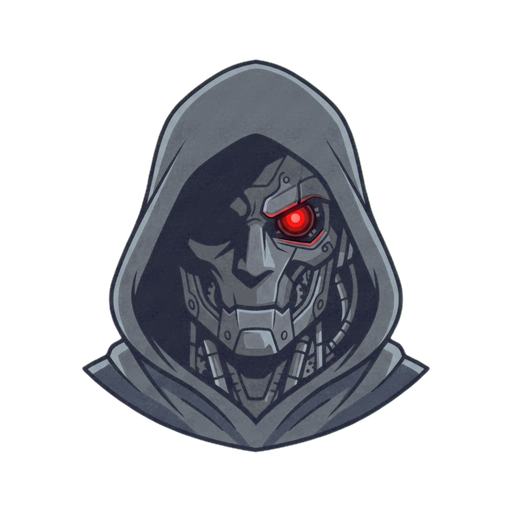
Cyberpunk Anonymous Voice Changer
Become a dark cyberpunk villain with a low, digitized voice for Discord, games, streams, and calls.
Become the Voice Behind the Screen
Drop into a Discord call as a cyberpunk villain, issue the mission briefing from an undisclosed location, or give a stream character the voice of someone who definitely knows too much. Cyber-Stalker makes your microphone darker and more digital while keeping dialogue usable live.
Use it in Discord, VRChat, supported game chat, calls, OBS, or recording apps. The effect follows your microphone, so the character can react in real time instead of relying on a few prerecorded lines.
Hacker, Robot, or Demon?
Cyber-Stalker sits between human and machine: low, controlled, and digitally altered. Robot is brighter and fully synthetic, Broken AI glitches and falls apart, while Demon sounds organic and monstrous.
That makes Cyber-Stalker a strong choice for hackers, masked villains, dystopian narrators, sci-fi operatives, and mysterious callers who should still sound like a person underneath the processing.
Shape Your Own Dark Digital Voice
Build the voice in VoiceLab, decide how deep and distorted it should feel, then save the result as your own character. Keep it restrained for a believable thriller voice or push it harder for a full cyber-horror transformation.
How to build a Cyber-Stalker effect
Cyber-Stalker is built and saved as a custom VoiceLab voice rather than selected as a one-click preset.
Turn your microphone into the voice of a hacker behind the screen: deep, distorted, controlled, and menacing without losing every word. Build it in VoiceLab and use it live wherever your microphone works.
- 01Lower the voice until it feels imposing without losing clear words
- 02Add restrained digital modulation for a synthetic edge
- 03Darken the tone and control loud peaks
- 04Save the chain and test it in the app where you plan to use it
Best for
Frequently asked questions
How do I make an anonymous hacker voice?
Build Cyber-Stalker in Echo VoiceLab, lower the tone, and add enough digital texture to change the character of your microphone while keeping speech understandable.
How is Cyber-Stalker different from Demon?
Cyber-Stalker sounds digital and mechanical — like a hacker. Demon sounds organic and guttural — like a creature from hell. Both are dark, but from completely different worlds.
Does the anonymous voice changer work on Discord?
Can I use it in games, VRChat, and streams?
Is the Cyber-Stalker voice free?
Is Cyber-Stalker a one-click preset?
Does a voice changer guarantee anonymity?
Other voices you might like
Robot
Sound like a classic sci-fi robot in Discord, games, streams, and any voice chat.
Broken AI
Break your voice into a corrupted AI signal for horror games, Discord, streams, and cyberpunk characters.
Demon
Turn your microphone into a deep demon growl for horror games, Discord scares, and dark roleplay.
Ready to try Cyber-Stalker?
Download Echo Live free, open VoiceLab, and make the Cyber-Stalker voice your own.
Download Echo