 VoiceLab Recipe
Kid Voice Changer
Become the kid in the party — bright, playful, and ready for a new character.
Build a Kid Character That Can Carry the Scene
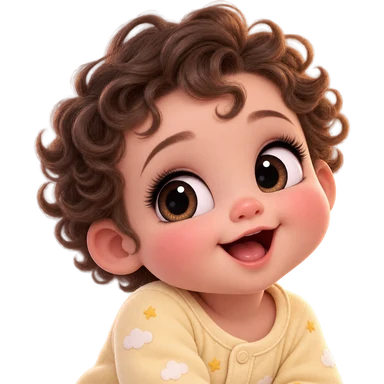
Build your Little Kid character for the overconfident junior adventurer, the tiny squad leader, the suspiciously clever NPC, or the youngest member of a chaotic Discord call. The brighter voice makes the character obvious without forcing every line into a squeaky cartoon joke.
Because Echo changes your microphone live, you can react, improvise, and stay in character while everyone else is talking. Bring it into Discord, game chat, VRChat, a stream, or a recorded character scene.
Kid Voice, Baby Voice, or Chipmunk?
Build a gentle pitch effect when you want a youthful character who still speaks clearly. Baby is softer and deliberately more exaggerated; Chipmunk goes sharper and more cartoonish for instant chaos.
Start with a small pitch change in VoiceLab, listen back to a few normal sentences, then try the ready-made alternatives. Your microphone and delivery change the result, so the best voice is the one that fits the character rather than simply the highest pitch.
How to build the Little Kid effect
Little Kid is a VoiceLab recipe idea. There is no current one-click preset named Little Kid. Build and save your own version, or try Baby and Chipmunk for ready-made cartoon effects.
Build a bright, youthful character voice in Echo VoiceLab for Discord roleplay, game nights and animated stories. Little Kid is a custom-effect idea, not a preset name in the current voice library. Start with a modest pitch change and keep your words easy to understand.
- 01Add pitch shifting in VoiceLab and raise the pitch gradually
- 02Read a few normal sentences and reduce the change if words become unclear
- 03Try a light brightening effect only if your microphone sounds dull
- 04Save the custom voice, then select Echo as the input in your chat app
Best for
Frequently asked questions
What does the Little Kid voice sound like?
The aim is a bright, youthful character that can carry a conversation. Build it in VoiceLab and judge the result with your own microphone; there is no fixed Little Kid preset sound.
How is Little Kid different from Baby?
Little Kid describes a custom youthful-character recipe. Baby is a ready-made preset for a more exaggerated cartoon effect.
Can I use the kid voice changer in Discord and games?
Can I use this kid voice for roleplay and voice acting?
How do I make the kid voice sound better?
Is the kid voice changer free?
Other voices you might like


Ready to try Little Kid?
Download Echo Live free, open VoiceLab, and make the Little Kid voice your own.
Download Echo