Echo Lite · Chrome setup
A voice changer and soundboard for Chrome
Bring a character voice, a running joke, or the perfect reaction into your next Chrome call. Echo Lite puts voices and sounds together, right in your browser.
For desktop browser calls. No virtual audio cable or desktop app needed.
Voice changer for Chrome
Choose a character voice or an instant effect, listen with headphones, and take that voice into a connected browser call. Audio processing runs on your device; AI performance depends on your hardware.
Explore Echo Lite voicesSoundboard for Chrome
Bring your own clips or start with the included reactions. A Situation keeps a mix behind one button. Adjust Call and Me separately so your friends’ volume does not have to match yours.
Explore the browser soundboardSet up Echo Lite in Chrome
Step 1
Install the browser edition
Open the Chrome Web Store listing, choose Add to Chrome, and review the permissions before choosing Add extension. Open Chrome’s Extensions menu and pin Echo Lite so you can find it during a call.
Step 2
Connect the calling website
Open your calling website in Chrome, then open Echo Lite and choose Connect site. Review the site-access request and allow microphone access when prompted. If the calling tab was already open, refresh it and rejoin with your usual microphone selected.
Step 3
Try a voice and a sound
Choose a free voice or effect, then open Soundboard and click a sound tile. Ask someone in the call to check both your voice and the clip. The headphone preview only plays to you. Turn Voice changer off whenever you want your natural voice back.
Use headphones to avoid feedback. Refreshing a calling tab leaves the current call.
Chrome on your computer, or Chrome on Chromebook
Use a normal desktop Chrome window. A mobile Chrome browser does not run this desktop extension. On a Chromebook, open the calling website in Chrome rather than an Android calling app. Managed school and workplace devices may need administrator approval for installation or microphone access.
Chrome installation and extension help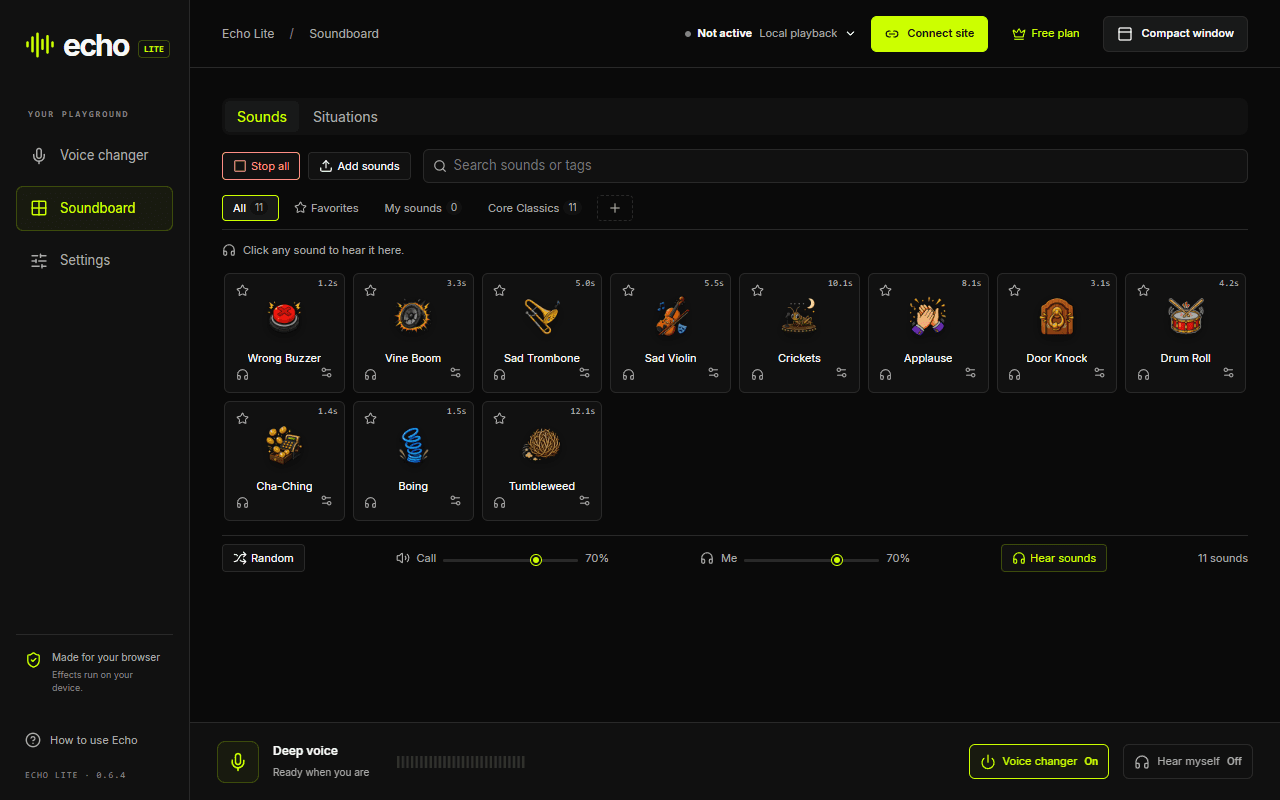
Having trouble in Chrome?
If the icon disappears, open Chrome’s Extensions menu and pin Echo Lite again. If you are in Incognito or Guest mode, return to a normal window to install. On a managed device, check with your administrator if installation is blocked.
- Keep your usual physical microphone selected in the call.
- Connect the exact calling tab, then refresh and rejoin if it was already open.
- Check Voice changer On/Off, Call volume and mute controls separately.
Chrome extension questions
Is Echo Lite for Chrome free?
The free plan includes selected AI voices and effects, the soundboard with your own clips, and one editable Situation slot. You can start without an account. Echo Pro adds more voices, custom effects and more Situation slots.
Do I need Chrome’s developer mode?
No. Install the published Echo Lite edition from the Chrome Web Store. You do not need to unpack a ZIP, enable extension developer mode, or change Chromebook boot settings.
Why can I hear a sound but my friends cannot?
The headphone preview plays locally. To send a clip, connect the calling website, check that Echo shows Active, and click the sound tile. Check the Call volume and the call’s mute controls. If the site was already open, refresh and rejoin. Some calling sites filter sounds as background noise, so test with another participant.
Does every calling website support the soundboard?
Compatibility depends on how the website captures and processes your microphone. Discord web voice and soundboard audio have been tested in Chrome; that is not a guarantee for every browser and site combination. Google Meet’s speech processing can filter soundboard clips. Always check what another participant hears.