Free Online Pitch Changer
Change the pitch of songs, music, or voice by up to 12 semitones without changing speed. Upload, preview, and download the result as MP3 or WAV.
Browser-based · No download requiredHow it works
Upload an audio file (MP3, WAV, OGG, FLAC)
Select a semitone preset or use the slider (±12 semitones)
Click "Shift Pitch" to process
Preview the pitch-shifted audio with the built-in player
Download the result as a lossless WAV file
What's included
Semitone Control (±12)
Shift pitch up or down in precise semitone increments. Quick-select presets for common shifts: -12, -7, -5, -3, 0, +3, +5, +7, +12.
Duration Preserved
Change pitch without altering the audio duration. Two-pass resampling algorithm keeps the length identical to the original.
Musical Presets
One-click preset buttons for common intervals: perfect fifth (±7), perfect fourth (±5), minor third (±3), and full octave (±12).
100% Private
All processing happens locally in your browser. Your audio files are never uploaded to any server.
Instant Processing
Pitch shifting runs in seconds via OfflineAudioContext — no cloud processing, no waiting.
Lossless WAV Export
Download the pitch-shifted audio as a lossless WAV file with zero quality degradation from the processing.
Who is this for?
Voice Effects
Make your voice higher or deeper for YouTube videos, podcasts, TikTok, and social media content without installing software.
Key Transposition
Shift a song to a different key to match your vocal range or instrument tuning. Perfect for singers and musicians.
Harmony Creation
Create vocal harmonies by duplicating a vocal track and shifting copies up or down by musical intervals (3rd, 5th, octave).
Character Voices
Adjust pitch for character voice effects in animations, games, audiobook narration, and voice acting demos.
Audio Analysis
Shift problematic audio into more audible frequency ranges for forensic analysis, transcription, or accessibility.
Change Audio Pitch Online — Free, No Download
This pitch changer lets you shift the pitch of any audio file without changing its speed or duration. Upload a voice recording, music track, or any audio file, then adjust the pitch up or down by up to 12 semitones (one full octave). The two-pass resampling algorithm ensures the audio plays at the same speed regardless of pitch changes — no chipmunk effect when going up, no slow-motion when going down. Perfect for matching vocal keys, creating character voices, transposing music, or building harmonies. All processing happens locally in your browser using the Web Audio API.
Pitch Changer vs. Speed Changer — What Is the Difference?
Pitch and speed are related but independent properties of audio. Changing speed (the Audio Speed Changer tool) alters how fast the audio plays while keeping the pitch the same — useful for speed-listening podcasts or slow-motion music practice. Changing pitch (this tool) alters the musical note while keeping the duration the same — useful for key transposition, voice effects, and harmony creation. In raw audio, speed and pitch are linked: speeding up audio raises the pitch (chipmunk effect), and slowing down lowers it. Our tools use advanced algorithms to decouple them, letting you adjust each independently.
Change a Song's Key with an Online Pitch Shifter
Use the pitch shifter to move a song, backing track, vocal, or sound effect up or down in semitone steps while keeping the same speed and duration. Pick an interval, compare the original with the shifted result, then download MP3 for easy sharing and practice or WAV for an uncompressed file. Smaller shifts usually sound more natural; larger octave changes work well for obvious character and sound effects.
Frequently asked questions
What is pitch shifting?
Pitch shifting changes the musical pitch of audio without changing its speed or duration. Shifting up makes voices higher (like a chipmunk), shifting down makes them deeper (like a giant). This is different from simply speeding up or slowing down audio, which changes both pitch and speed simultaneously.
Can I change pitch without changing speed?
Yes — that is exactly what this tool does. It uses a two-pass resampling algorithm: first it shifts both pitch and speed, then it time-stretches the result back to the original duration. The output is the same length as the input but at a different pitch.
What is the pitch range?
You can shift pitch up or down by up to 12 semitones (one full octave) in either direction. For voice effects, 3–5 semitones produces noticeable but natural-sounding results. For dramatic effects like chipmunk or deep voice, try 7–12 semitones.
Is the pitch changer free?
How does this differ from the voice changer?
Can I use this for music transposition?
What file formats are supported?
Is my audio uploaded to a server?
More free tools

Online Voice Changer
Change your voice online for free. Record your mic or upload audio, pick a voice preset, and download instantly. Chipmunk, robot, demon, Darth Vader, and more.
Online Pitch Detector
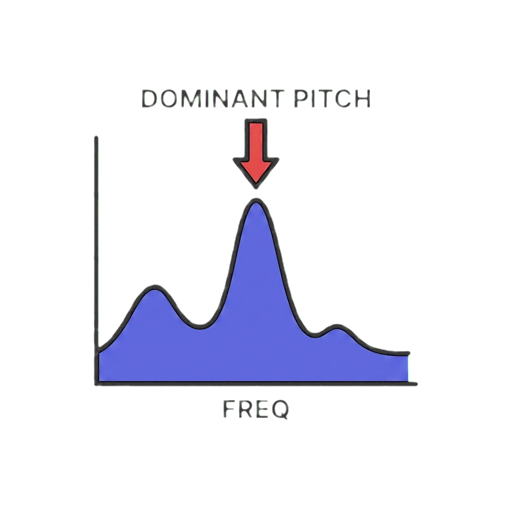
Detect voice pitch online for free from your microphone or an MP3/WAV file. See notes, Hz, octave, cents, and pitch over time—all in your browser.
Online Audio Speed Changer
Speed up or slow down MP3, music, and voice online for free. Choose 0.25x to 4x, keep the pitch, preview the result, and download as WAV.
Online Audio Equalizer
Equalize MP3, WAV, and other audio files online for free with a 10-band EQ. Boost bass, cut mids, enhance treble, and download MP3 or WAV.
Online Bass Booster
Boost the bass in any audio file online for free. Add deep, powerful low-end to music and voice recordings. Adjustable frequency targeting and automatic limiting. Browser-based, 100% private.
Download the Free Voice Changer
Download Echo Live free. Works with Discord, games, and any voice chat.
Download Echo